
Modal UpdateProgress for UpdatePanel
If you are interested in this topic, you should check out the new post: “Modal UpdateProgress for UpdatePanel - Revisited” on this topic. The solution in this post had some issues that have been corrected in the new post.
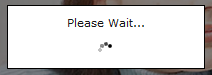
I’ve seen a lot of requests on the ASP.NET forums for ways to display disable an UpdatePanel during an update. I’ve seen quite a few complex techniques to achieve this, but by using standard controls you can create a nice looking modal progress indicator. Using the UpdateProgress control, there is an easy way to make the progress indicator modal with little code and a bit of CSS.
First, let’s start with the code:
<asp:updateprogress associatedupdatepanelid="UPDATEPANELID" id="updateProgress" runat="server">
    <progresstemplate>
        <div id="progressBackgroundFilter"></div>
        <div id="processMessage"> Loading…<br /><br /><img alt="Loading" src="images/ajax-loader.gif" /></div>
   </progresstemplate>
</asp:updateprogress>
Pretty simple code… basically the only “custom code” are the two DIVs. The first, progressBackgroundFilter is used to blank out the page. The second is the message to display. In this case, it’s just text and an animated gif.
The rest of the code is just CSS. In this example, I am using the id selector approach of CSS to add the styles to the DIVs but you can of course changed these to class names.
#progressBackgroundFilter {
  position: absolute;
  top: 0px;
  bottom: 0px;
  left: 0px;
  right: 0px;
  overflow: hidden;
  padding: ;
  margin: ;
  background-color: #000;
  filter: alpha(opacity=50);
  opacity: 0.5;
  z-index: 1000;
}

#processMessage {
  position: absolute;
  top: 30%;
  left: 43%;
  padding: 10px;
  width: 14%;
  z-index: 1001;
  background-color: #fff;
}
The progressBackgroundFilter is what blanks out the screen. This operates like standard modal code by simply overlaying a DIV on top of the content using absolute positioning. The z-index is what sets it to be over the content; this number can be anything, but I set it to 1000 so it would be much higher than any other absolutely positioned object. The filter is used to set the transparency in IE while the opacity is for FireFox; both set the transparency to half. Finally, the processMessage styles position a div above the background filter (z-index is set to 1001). The top, left and width are set to percentages to horizontally center the box and the top is arbitrarily placed 30% from the top.
KNOWN ISSUES:
This technique was tested with IE 7 and FireFox. This technique works well when your page doesn’t scroll, but has a few problems when there is a scrollbar involved. The problem is with position: absolute, it can’t seem to figure out bottom: 0px when you scroll. One way around this is to use postion: fixed instead, but this has problems in IE6. Even with this, there is no way to overlay the browser’s scrollbar. The only real option is to use JavaScript to position the background and message, such as subModal
Even this doesn’t blank out the browser’s scrollbars though. The best condition for making modal items work easily is using a separate container DIV and hiding the browser’s scrollbar. One of my favorite layouts is Stu Nicholls’ approach to a fixed layout: (also see the rest of his website for some real awesome CSS fun). With this approach, the overlay can block out the scrollbars as well.

Damien White Twitter
Hi, my name is Damien White. I'm a software architect with over 20 years of experience. I simply love coding! I have a driving passion for software development, and a thirst for knowledge that cannot be quenched. I enjoy writing Web and Mobile applications, and I'm happy to share what I know in my quest to learn as much as possible.