
Using S3Mock with Rails for AWS S3 Connectivity

In my Rails apps, I’m frequently connecting to S3 to save or read resources. I had been connecting locally to AWS S3 in the DEV environment, and while this was ok, it meant I always had to be connected.
Enter S3Mock, a project from Adobe. With S3Mock, I can use Docker to spin up the project and save and read resources from S3 using my Rails application using the AWS SDK gem. The difference here is that instead of writing to DEV’s S3 bucket, the bucket is local to my machine. If this sounds useful to you, let’s get into it!
Quick Start
To get set up quickly, follow Adobe’s quickstart. While this approach is fast, it offers ephemeral storage, which might feel limiting. I wanted a solution that lets you start or stop the service without losing data, giving you greater control and storage persistence.
Enter docker-compose
We can address ephemeral storage by using docker-compose. Just a simple little yaml file can set up all we need:
services:
  s3mock:
    image: adobe/s3mock:latest
    environment:
      - COM_ADOBE_TESTING_S3MOCK_STORE_ROOT=containers3root
      - COM_ADOBE_TESTING_S3MOCK_STORE_RETAIN_FILES_ON_EXIT=true
      - COM_ADOBE_TESTING_S3MOCK_STORE_INITIAL_BUCKETS=my-bucket
    ports:
      - 9090:9090
      - 9191:9191
    volumes:
      - ./locals3root:/containers3root
So what’s going on here?
The environment variables set up the storage and bucket. You can customize these to your liking; remember that if you change STORE_ROOT, you will have to update the volumes section.
The port 9090 is for http; this is fine for testing locally. Port 9191 is for https; which is an alternative you can use, but without an SSL cert, you’ll get a warning from your browser if you try to download something over https. Again, this is fine locally, but a little more of an annoyance.
Finally, the volumes section. This section maps a local directory to the STORE_ROOT. I just used the names from the GitHub docker-compose examples, but you can name it something different. The format is LOCAL-PATH, colon, STORE_ROOT(in the root directory, so / precedes it). In this example, it will store files in my project’s root directory under locals3root. Because this is part of my project, I added /locals3root to my .gitignore so that I don’t check in any S3 data.
Starting S3Mock
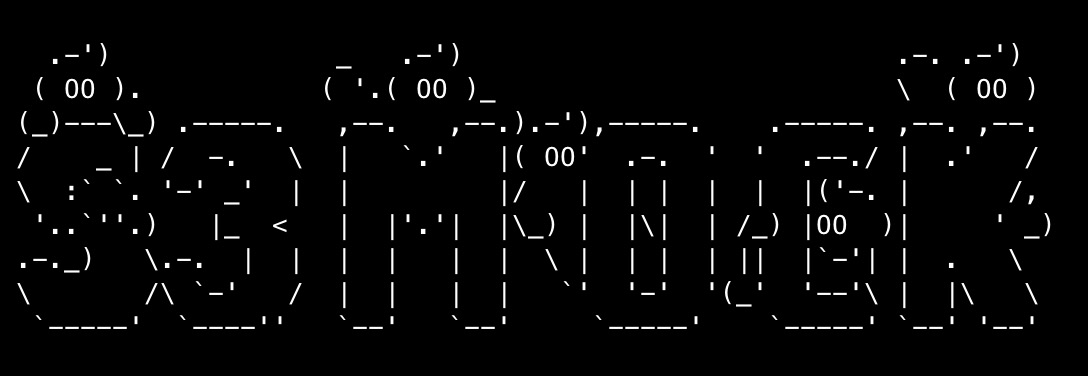
Starting S3Mock is super simple now, docker-compose up in your root folder (this assumes the docker-compose.yml file is in your root directory). This friendly logo greets you:
Rails Development Configuration
Setting up Rails is easy-peasy as well. We need a new storage setting. So hop over to storage.yml and let’s add a small configuration for S3Mock:
s3_mock:
  service: S3
  bucket: my-bucket
  endpoint: http://localhost:9090
  region: us-east-1
  force_path_style: true
Change the bucket name to what you entered in the earlier step.
Finally, we need to tell our development.rb file to use this new storage:
config.active_storage.service = :s3_mock
And that’s it! Depending on how you interface with AWS, you may need a few more modifications. But in my testing, 95% of the functionality worked without needing any tweaks. We use Active Storage for files, and it works perfectly.
The one place where I needed to modify code was in custom Ruby jobs that ran via Sidekiq because they used direct connections to AWS. Be cautious with bare Aws::S3::Resource calls without endpoints. These were a couple of simple model and lib changes.
Wrap Up
S3Mock and docker-compose are a quick and easy way to work with Rails without needing direct access to S3. Other projects work similarly, such as Minio, LocalStack, and even more. I found S3Mock to fit the bill nicely, and it is licensed under the Apache License 2.0. Let me know how this approach works out for you. I’m always curious to hear from the community.

Damien White Twitter
Hi, my name is Damien White. I'm a software architect with over 20 years of experience. I simply love coding! I have a driving passion for software development, and a thirst for knowledge that cannot be quenched. I enjoy writing Web and Mobile applications, and I'm happy to share what I know in my quest to learn as much as possible.